1
पहले नक्शा देखेंStart with the layout map
पूरे लेआउट की स्थिति समझने के लिए नीचे दिया गया चित्र पहले देखें।Review the full layout map first to understand key positions.
परीक्षा मानक / Exam standard
SSC, CPCT और पुराने हिन्दी टाइपिंग वर्कफ़्लो के लिए यह पेज नक्शा, live key reference, Alt सहायता और अभ्यास लिंक एक ही जगह देता है।
कैसे सीखें / How to learn
पहले नक्शा देखें, फिर नीचे live key reference में normal और shift मोड बदलें, और जरूरत पड़ने पर Alt codes देखें।
पूरे लेआउट की स्थिति समझने के लिए नीचे दिया गया चित्र पहले देखें।Review the full layout map first to understand key positions.
Normal और Shift दोनों मोड देखकर अक्षर याद करना आसान हो जाता है।Switch between normal and shift states to memorize characters faster.
विशेष चिह्नों के लिए नीचे Alt code तालिका दी गई है।The Alt code table below is only for special symbols and edge cases.
पहले सही रास्ता चुनें / Choose the right path first
कई लोग इस page पर आकर तय नहीं कर पाते कि उन्हें layout देखना है, practice शुरू करनी है, या पुराना text convert करना है। नीचे सीधा रास्ता चुनें।
पहले समझें / Start here
अगर आप अभी सीखना शुरू कर रहे हैं, तो पहले पूरा नक्शा देखें और फिर नीचे live keyboard पर एक-एक key मिलाएँ।If you are just starting, review the full map first and then match each key on the live keyboard below.
नई शुरुआत करने वालों के लिए यही सबसे सुरक्षित रास्ता है / Best first step for new learners.
लेआउट नीचे देखें / View layout belowअभ्यास / Practice now
यदि आपको exam-style अभ्यास चाहिए, तो layout देखने के बाद सीधे Krutidev typing tutor खोलें और lesson से speed जाँचें।If you need exam-style practice, open the Krutidev typing tutor after reviewing the layout and test your speed with lessons.
रेमिंगटन देखकर सीधे अभ्यास करने वालों के लिए / Best for users moving from reference to practice.
टाइपिंग ट्यूटर खोलें / Open typing tutorअगला काम / After typing
अगर layout समझने के बाद आपका काम पुराने Krutidev text को modern Unicode में बदलना है, तो converter पर जाएँ।If your next step is converting older Krutidev text into modern Unicode, move to the converter.
टाइपिंग और conversion को अलग-अलग step में रखें / Keep typing and conversion as separate steps.
यूनिकोड कन्वर्टर खोलें / Open Unicode converterपरीक्षा में सबसे आम लेआउट / Most common exam layout
मोड: सामान्य + शिफ्ट / Modes: Normal + Shift
तुरंत Alt codes / Quick Alt references
कुंजी संदर्भ / Key reference
ऊपर English key legends वही रखे गए हैं जो physical keyboard पर दिखते हैं। नीचे हिन्दी अक्षर normal या shift के हिसाब से बदलेंगे।
पूरा नक्शा / Full map
अगर आप key position याद कर रहे हैं, तो पहले इस चित्र को देखें और फिर live keyboard से मिलान करें।
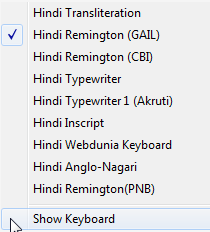
remingtongail.png को /images/ folder में रखें।
विशेष चिन्ह / Special symbols
ऊपरी number row नहीं, numpad का उपयोग करें। नीचे खोज से तालिका तुरंत छोटी हो जाएगी।
अभी 10 में से 10 entries दिख रही हैं।
| अक्षर / Character | Alt code | विवरण / Description |
|---|---|---|
| ‘ | Alt+0188 |
शुरुआती सिंगल उद्धरणOpening single quote |
| ’ | Alt+0189 |
समापन सिंगल उद्धरणClosing single quote |
| “ | Alt+0190 |
शुरुआती डबल उद्धरणOpening double quote |
| ” | Alt+0191 |
समापन डबल उद्धरणClosing double quote |
| | | Alt+0124 |
पूर्ण विराम रेखाPipe or purna viram line |
| ... | Alt+0133 |
एलिप्सिसEllipsis |
| Ñ | Alt+0209 |
कृ संयोजनKri combination |
| Ù | Alt+0217 |
त्र संयोजनTra combination |
| kr | Alt+0219 |
क्र संयोजनKr combination |
| fr | Alt+0221 |
फ्र संयोजनFr combination |
कोई मिलान नहीं मिला / No matching Alt code found.